How We Shipped a Polished Mac App in 48 Hours — and Charged Just $99

By Justin Kent
02/16/2026


02/16/2026
How vibe coding let us ship a polished Mac app for a client quickly, affordably, and without prior platform experience.
3 min read
TL;DR — We shipped a polished macOS app that loads thousands of videos, posts directly to X, and avoided a $200/mo API. Delivered in ~48 hours for a one-time $99 fee.
Note: Kent Data Solutions builds apps for any desktop or mobile platform (macOS, Windows, Linux, iOS, Android). This post simply showcases a macOS example — I hadn’t built a Mac app before, but the same approach works across platforms.
At Kent Data Solutions, we’ve always believed in leveraging the newest tools to deliver massive value at a fair price. This week we put that belief to work and shipped a fully vibe‑coded Mac app for a client — polished, practical, and built quickly.
Vibe coding is a prompt-driven, editor-first workflow where a code assistant generates scaffolding, UI, and working code from plain-language instructions. You iterate in your editor, use small, focused prompts to refine behavior, and open Xcode only for final builds and debugging — which lets non-experts and small teams ship working tools fast.
Our client needed a Mac app that could handle a very real-world workflow:
This could easily have ballooned into a multi-week traditional development project.
We kept the scope tight and focused on the features that directly solved the client's problem: fast thumbnail browsing, a sortable list view for power users, and a rule‑compliant Post-to‑X flow. That focus let us deliver a polished tool quickly without unnecessary bloat.
I used a setup that many creators and small teams already have:
The workflow ended up being shockingly smooth:
Timeline (high level): Day 0 — scope and requirements; Day 1 — prototype and core UI; Day 2 — polish, Xcode build, and delivery.
No endless Googling. No complex environment setup. No “you need 5 years of Swift experience” gatekeeping. No coding — just tell the AI what you want, and poof: it appears.
Clear requirements, fast iterations, and practical tooling produced a working app in a few days.
Below are screenshots from the app.
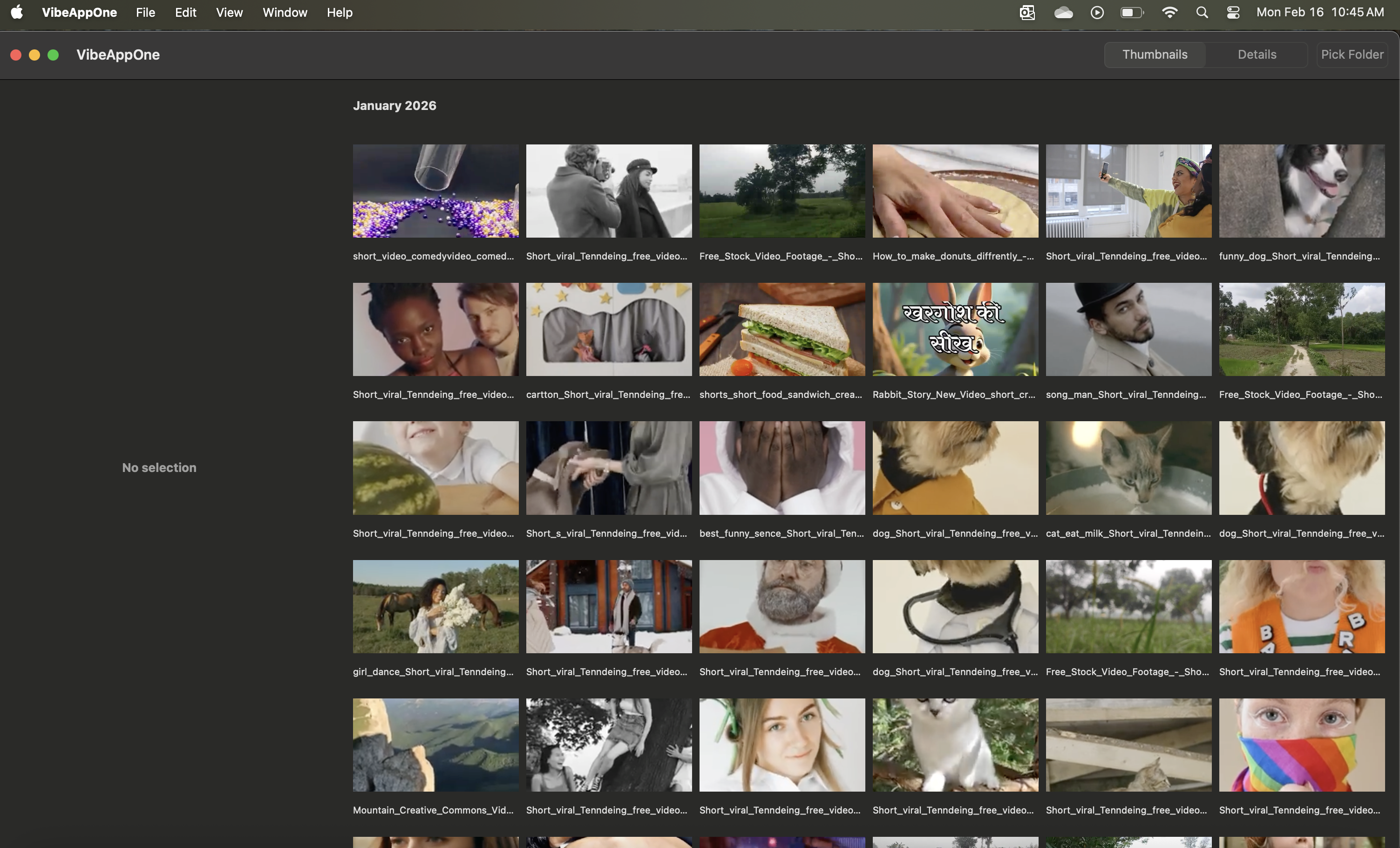
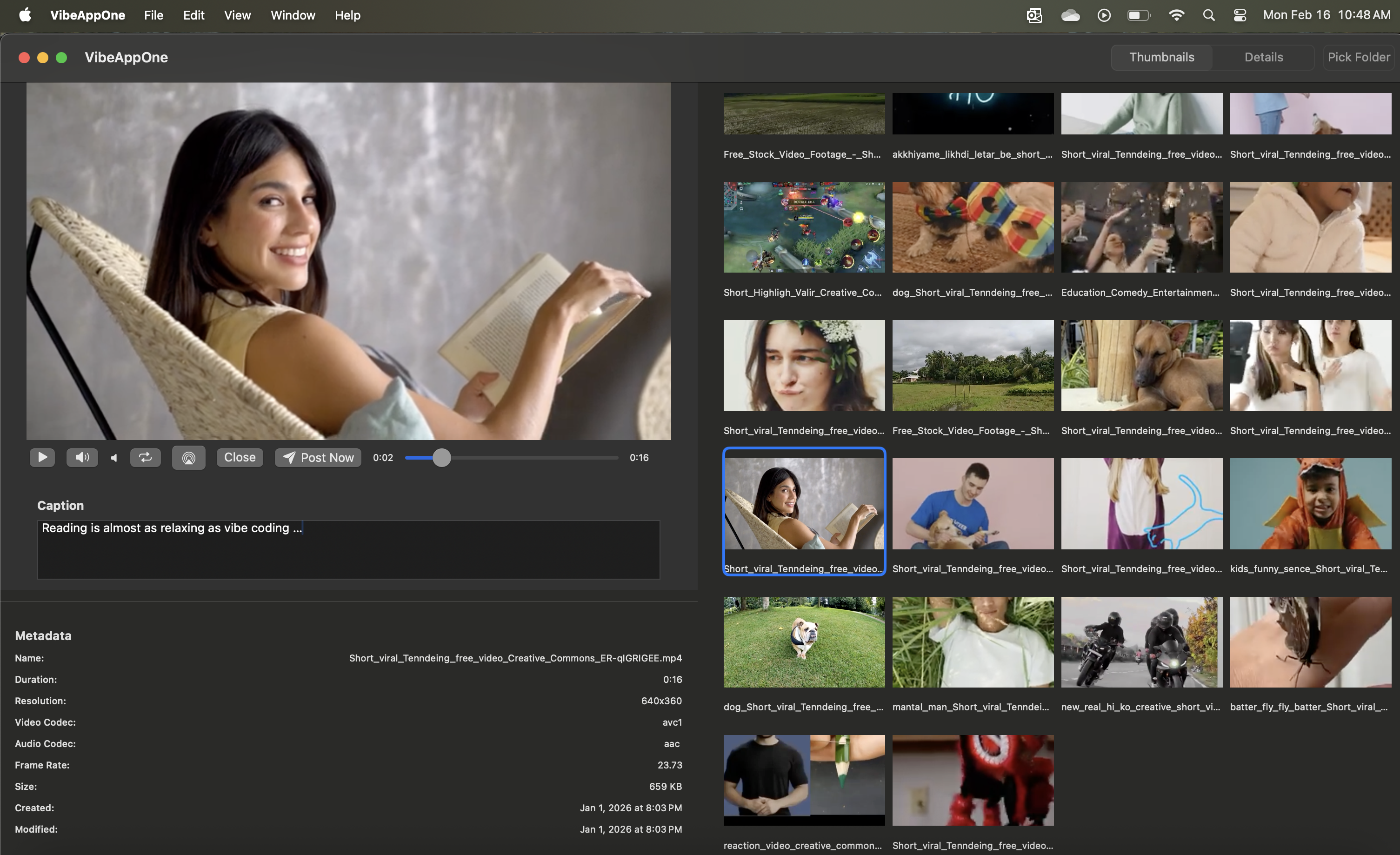
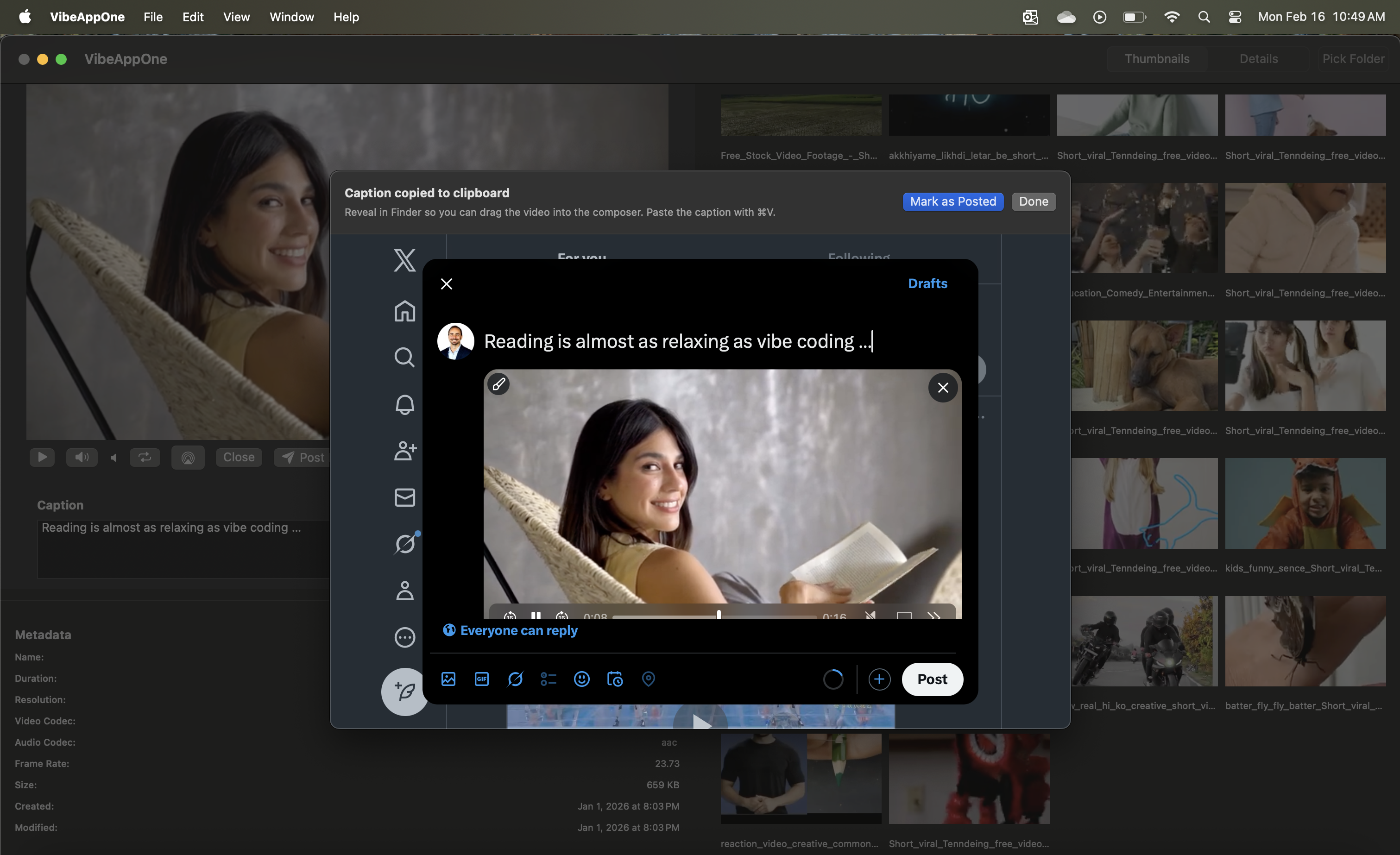
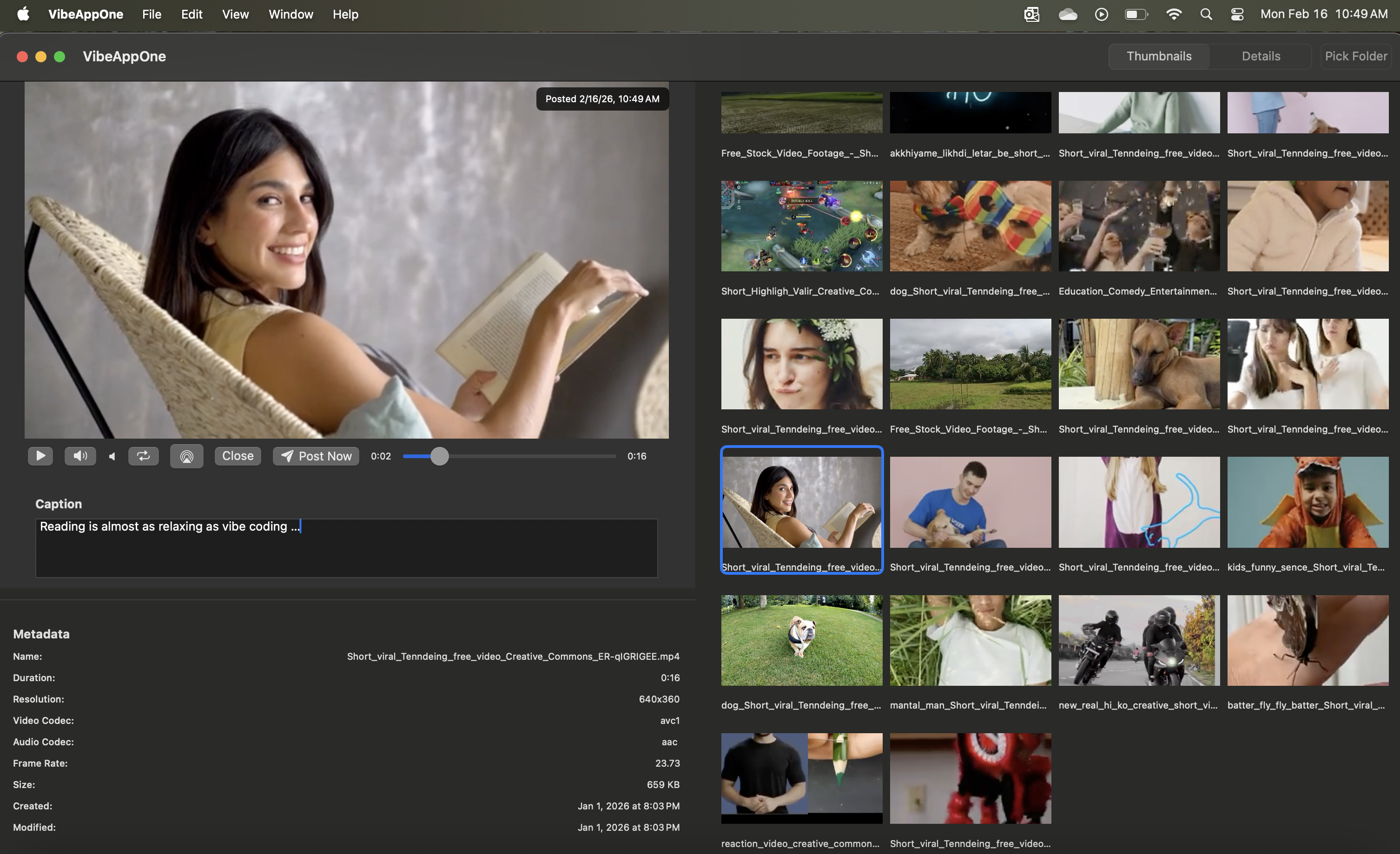
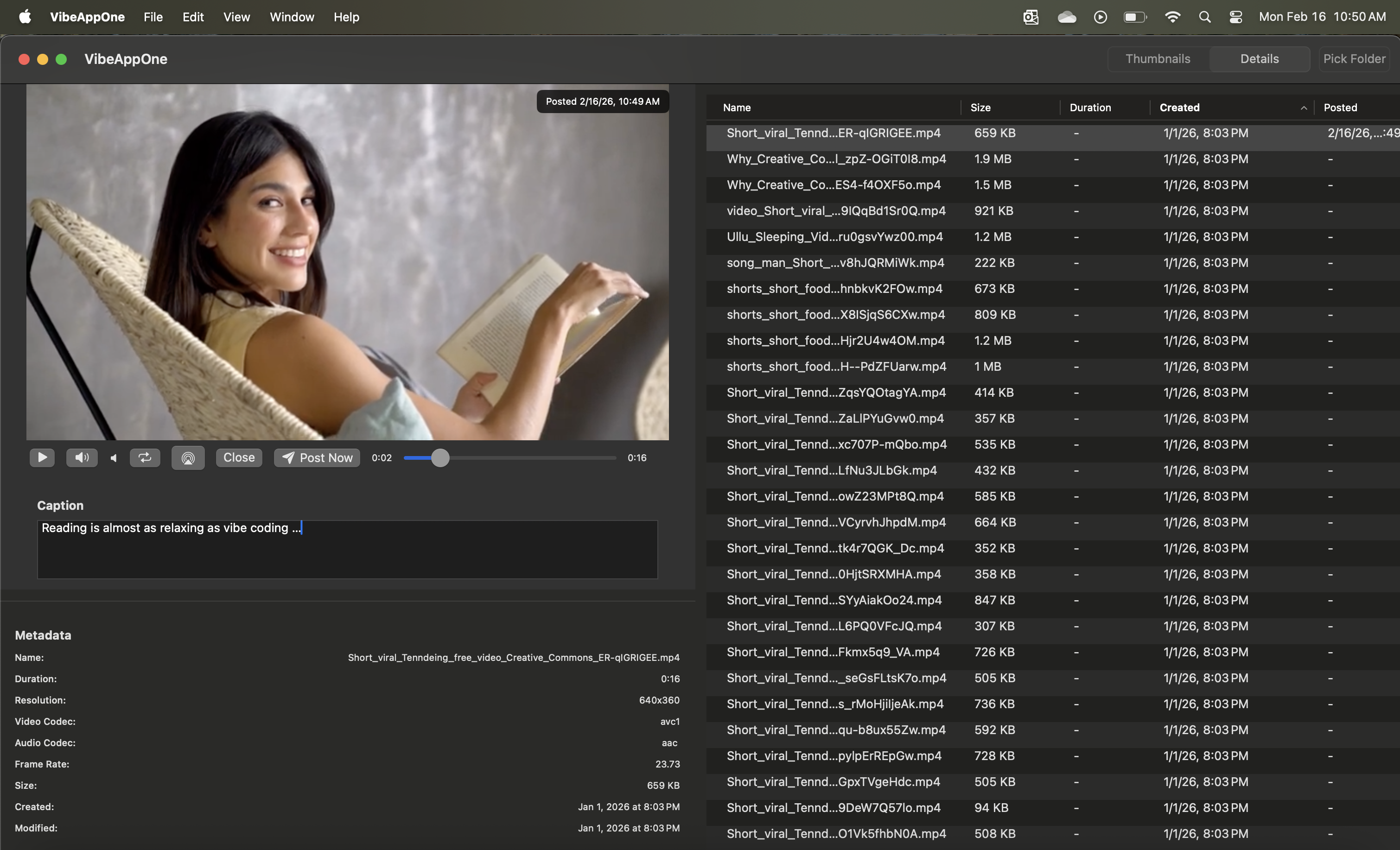
"We can now post five videos in five minutes — no API subscriptions, no headaches."
The client now has a beautifully functional tool that:
And best of all, the solution matched the client's needs without extra subscription costs.
Why so low? Because we want clients to experience how accessible this new era of development really is.
Once you’re set up, you don’t need a company like Kent Data Solutions to build tools like this. If you have time and curiosity, you can learn to vibe code your own apps simply by describing what you need. We’re happy to show clients how — but we won’t gatekeep the process.
Even a first-time creator can ship a polished Mac app in a few days. With focused scope and the right workflow, your team can achieve the same outcome.
If you'd like help getting started with vibe coding, or need an app built for macOS, Windows, Linux, the web, or mobile, we can help — the same vibe‑coding workflow scales to any platform.